
Yonder: Organisational Content Management
Yonder is a content management software built for organizations where getting information wrong isn’t an option. It replaces scattered files, static PDFs, and manual compliance tracking with one integrated system, so your employees always have the right information, and you can prove it.
How Yonder works?
One platform for all content management needs
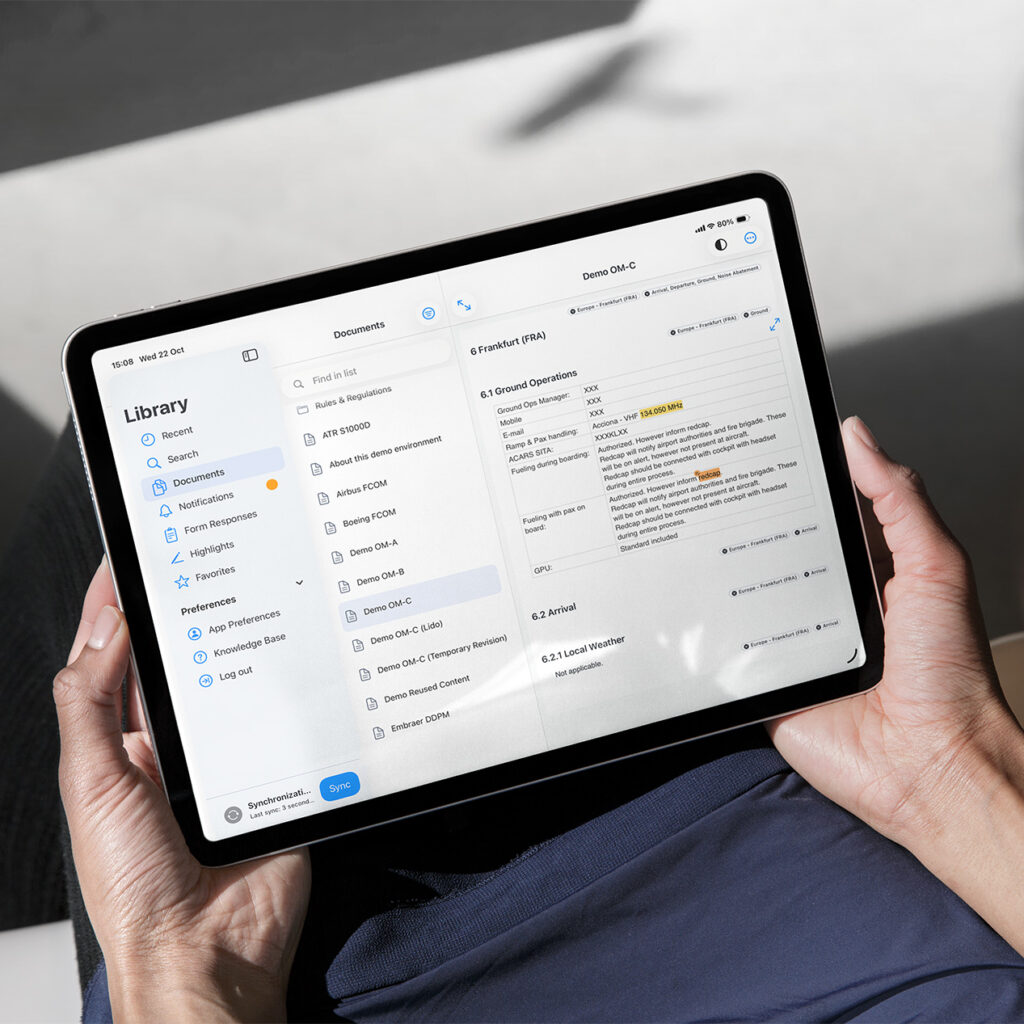
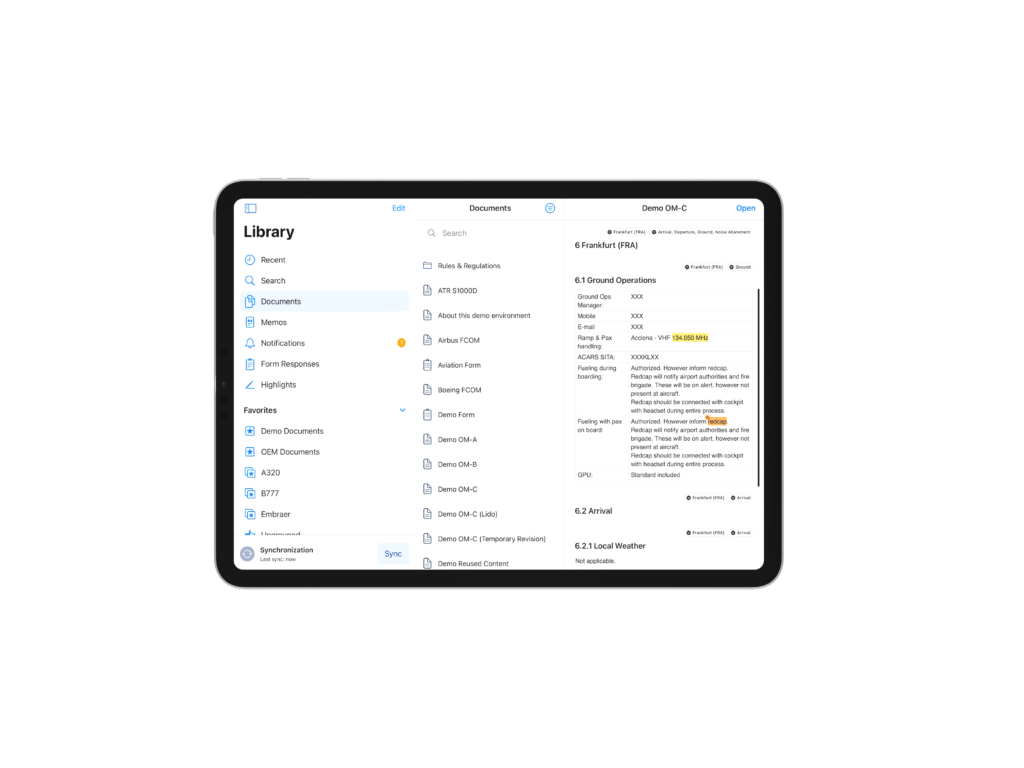
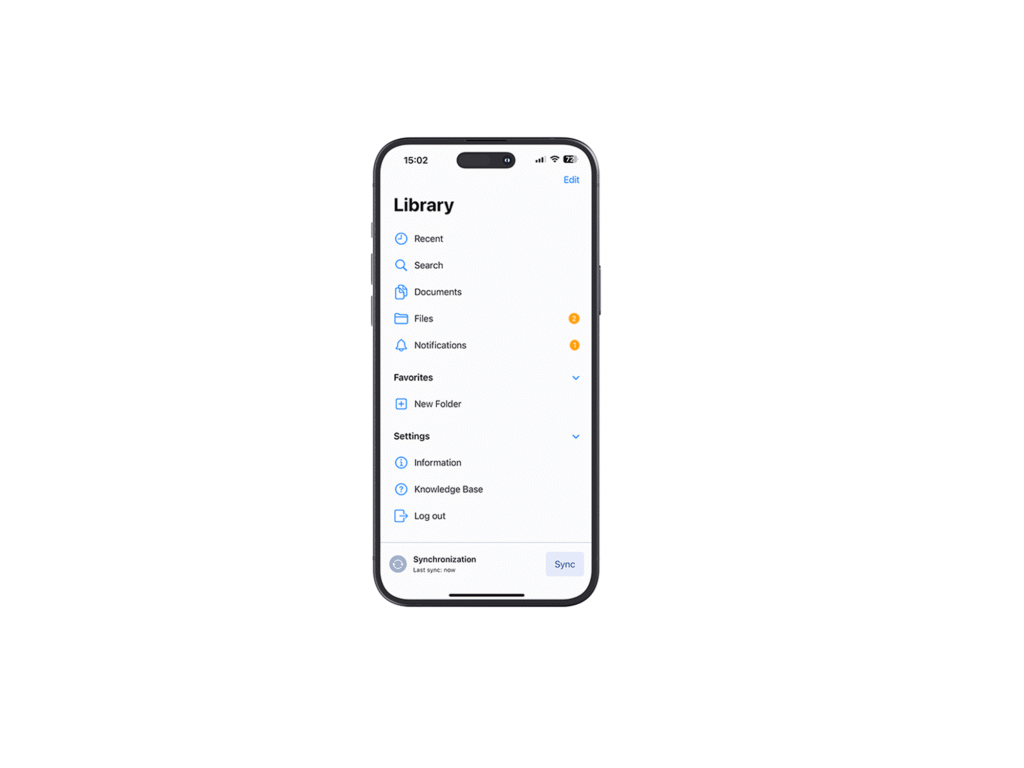
View content on any device online and offline via the app*.
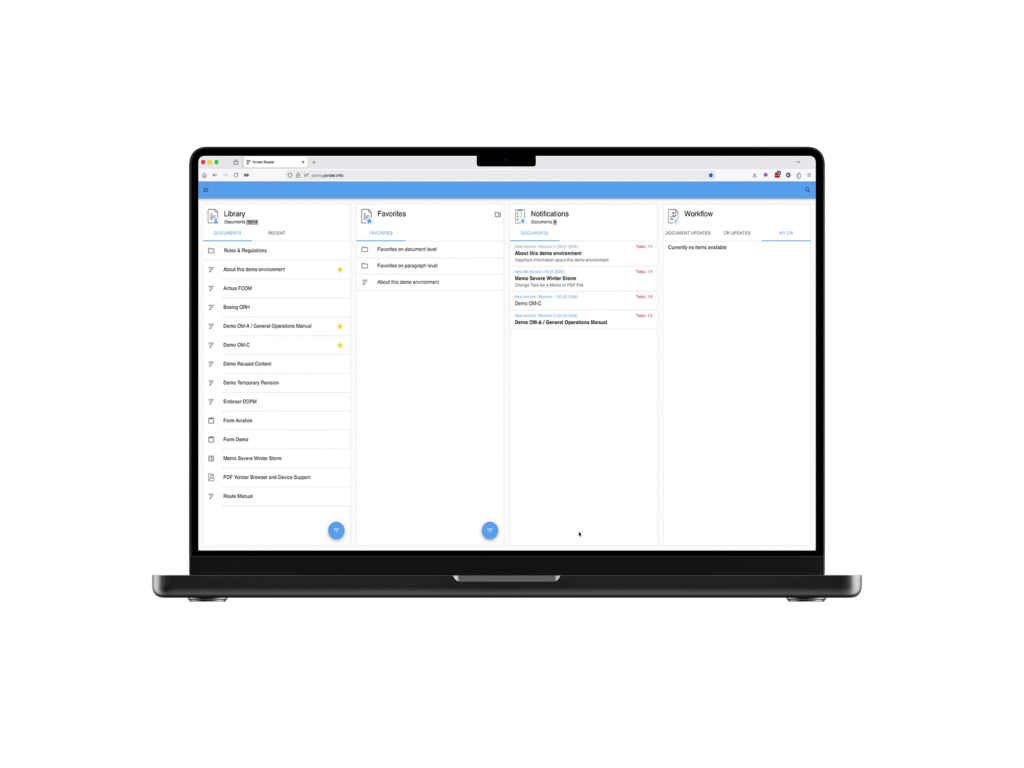
Manage content in any web browser.
*The Yonder Viewer App is currently available for iOS, Android, and Windows.
How does it impact your organization?
Improve productivity and eliminate regulatory hurdles
End users find what they need in seconds instead of scrolling through irrelevant sections, and always know what changed and why, with a clear before-and-after view. If something is inaccurate they can trigger a change request that follows a predefined approval workflow.
Document managers and authors spend less time on manual administration, version chasing, regulatory change tracking, and reconciling manufacturer updates, and can focus on the expertise only they can provide. All content is linked together using a proprietary link engine, so every policy, rule, or regulation triggers a change across the whole library
Compliance and QA teams get a full audit trail: who wrote it, who approved it, and who confirmed they understood it. Nothing depends on memory or an email thread and every change follows a streamlined process.
Leadership gets a system that scales with the organization instead of becoming harder to manage as it grows, with visibility into compliance status across the entire document library at any time.
What does Yonder solve?
Three key pillars to make documentation work in any industry

Controlling information
The problem: Documents live across shared drives, email attachments, and someone’s desktop. Nobody is fully sure which version is current, and every update means manually finding and replacing files everywhere they were shared.
How Yonder solves it: One source of truth. Every document has one current version, end-user favorites only point to the valid revision, and personal highlights and notes are transferred automatically. A full history log shows exactly what changed, when, by whom, and who approved it.
Making information compliant
The problem: Regulations change. Policies get updated. Someone has to notice, work out what documents the change affects, update the documentation, coordinate approval and distribute the new version to the right people.
How Yonder solves it: Yonder’s patented link engine connects your documentation directly to the regulations or policies behind it. When there is a change, Yonder generates the change request automatically on the affected document and routes it into the approval workflow, ensuring nothing falls through the cracks and everything is fully traceable.


Making information accessible to everyone
The problem: Static documents show everyone the same thing, whether it applies to them or not. People scroll past pages of irrelevant content to find the one procedure they need, and if they’re offline, they may not be able to reach it at all.
How Yonder solves it: Role-based filters mean each person sees only what’s relevant to their role and task at hand. The offline app (iOS, Android) keeps that same content available with no internet connection anywhere from a cockpit to a control room.
How to get started?
From static content to smart documentation
Import
Bring in what you already have. Word documents are imported directly and converted automatically into structured content. Aircraft manufacturer XML from Airbus, Boeing, ATR, or Embraer is uploaded directly to Yonder and remains in its source format.
Structure
Add role-based filters so each section reaches only the people it applies to, and link content directly to the regulations and policies it must comply with. This is what powers automated change requests later.
Publish and update
Every change, manual or automatic, runs through a structured, traceable workflow: change request, review, approval, publication. When a regulation changes or an aircraft manufacturer releases a new revision, Yonder flags exactly what’s affected and generates the change request for you, on the document that is affected.
What Yonder replaces?
One platform for all your content
| Capability | Yonder |
SharePoint Google Drive |
Word | |
|---|---|---|---|---|
|
Central storage, one current version |
Yes |
Partial |
No |
No |
|
Content reused across documents, updates in one place |
Yes |
No |
No |
No |
|
Role-specific content (not just folder permissions) |
Yes |
No |
No |
No |
|
Structured approval workflows with audit trails |
Yes |
Partial |
No |
No |
|
Regulatory compliance linking with automatic alerts |
Yes |
No |
No |
No |
|
Read and acknowledge compliance tracking, by user or group |
Yes |
No |
No |
No |
|
Offline access, native app |
Yes |
Partial |
Partial |
Partial |
|
Manufacturer (OEM) revision comparison and automation |
Yes |
No |
No |
No |
|
On-device AI summarization, no cloud dependency |
Yes |
No |
No |
No |
Frequently asked questions
No. Most organizations start with their most critical documents and migrate the rest over time. You can keep other documents as PDFs until their next revision, and bring them into Yonder whenever it makes sense for your team.
Yes. Existing files can be imported and converted into structured, smart documents, or uploaded and viewed as they are. It works the other way too: any smart Yonder document can be exported as a high quality PDF when you need one for a submission or an audit.
Yes. The offline app runs on iPhone, iPad, Android, and syncs automatically once a device is back online. Everything a user is entitled to see under their role stays available offline, including changes and read and acknowledge tasks.
Yonder uses Apple’s on-device intelligence to generate document summaries directly on your Apple device. No data is sent to the cloud, no internet connection is required, and no external AI provider processes your content. The feature is available at no additional cost as part of your Yonder subscription.
No. AI summaries are included with your existing Yonder subscription at no additional cost.
Yes, demo access is available for you to explore the platform’s features and see how it fits your organization’s needs.