Smart documentation for helicopter operators
Whether you operate a handful of helicopters or a multi-base fleet, your documentation obligations do not scale down. Yonder gives helicopter operators one source of truth for operations manuals, procedures and regulations. Every crew member sees what applies to their role, base and mission, and your compliance team spends less time on administration.
Supporting operators globally:

One manual set for every mission
Offshore, HEMS, aerial work and passenger transport often share one operation but need different procedures. In a PDF world, this leads to multiple near identical manuals or complex color coding. With Yonder, you maintain a single document and use filters to tailor it. Pilots, technicians and ground staff can be assigned their filters at login, then refine the view by aircraft type or operational context. Search works in combination with filters, so the right procedure is found in seconds.

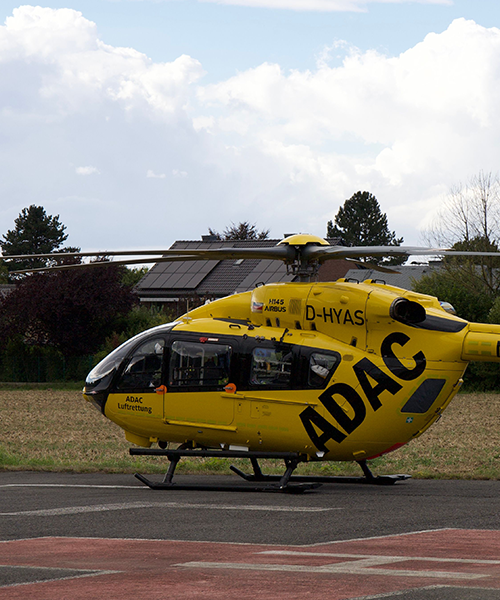
Reliable information wherever the mission takes your crews
Remote bases and limited connectivity should never mean outdated or missing procedures. The Yonder offline app, available on iOS, Android and Windows, keeps manuals, notifications, highlights, notes and favorites synchronized with the online reader. Electronic forms can be completed and submitted offline, and are sent automatically once the device reconnects. Personal highlights and notes carry over to new revisions.
Proactive regulatory compliance
Each document or section can be linked directly to its underlying regulation, whether EASA, FAA or another authority. When a regulation is updated, Yonder automatically generates a change request that highlights the affected sections. Structured workflows replace email chains and record every step, from change request to approval, with a full audit trail. Managers can track read and read-and-acknowledge tasks by document, user group or individual, and export reports as PDF or CSV for audits.

Key benefits for helicopter operators
Lean Operations Management
One Source of Truth: a single set of manuals for all bases and missions.
Smart Filters: role, base, mission and aircraft type in seconds.
Streamlined Compliance Workflows
Automated Change Requests: triggered by regulatory updates.
Approval Processes: workflows configured to your organization, including authority pre-approval for major changes.
Enhanced Crew Experience
Offline Access: manuals and forms available without connectivity.
Notifications That Matter: crews are alerted only to changes that affect their role.
Seamless Integration
Automatic Conversion: Word documents become structured content.
Phased Migration: start with critical manuals, keep PDFs until their next revision.
Driven by constant innovation
On-device AI included at no extra cost.
Faster revision processing vs. legacy revision processes.
Avarage reported savings per employee per year within customers.


Frequently asked questions
Yes. Yonder is designed to be flexible and scalable, from single-aircraft operators to large organizations. Standard onboarding is fully remote and designed to keep the effort on your side low.
Yes. The offline app keeps documents available without a connection and synchronizes automatically when the device is back online, including forms completed offline.
Through filters. You maintain one document and tag content by, for example, base, mission type or aircraft type. Each user sees only what is relevant to them.
Sections of your manuals are linked to the underlying regulation. When it changes, Yonder generates a change request automatically. This is built on our patented link engine.
Yonder is ISO 27001 certified, demonstrating its commitment to top-tier information security management systems. It also integrates robust audit trails and compliance tracking, ensuring the safety and reliability of your documentation
Standard onboarding typically takes four to six weeks, depending on your availability. Migration can be phased, and Word documents are converted automatically.
Yes, we’re happy to provide you with access to a demo environment where you can try out the platform firsthand. This allows you to explore Yonder’s features and see how it works for your organization. Get instant demo access now.
Yonder uses Apple’s on-device intelligence to generate document summaries directly on your Apple device. No data is sent to the cloud, no internet connection is required, and no external AI provider processes your content. The feature is available at no additional cost as part of your Yonder subscription.
Proudly supporting aviation globally